Property crime in regional South Australia is a persistent concern. Unlike densely lit suburban streets, many Murray Bridge and Adelaide Hills properties sit on larger blocks with long driveways, detached sheds, and minimal council-provided street lighting. These conditions create opportunities for break-ins, theft from vehicles, and vandalism — particularly during the shorter days of autumn and winter.
The good news is that security lighting and CCTV are among the most effective deterrents available. Research from the Australian Institute of Criminology consistently shows that visible cameras and well-lit entry points significantly reduce the likelihood of a property being targeted. And with modern LED and IP camera technology, effective security systems are more affordable and capable than ever.
Lighting Options
Types of Security Lighting for Your Home
Different lighting types serve different purposes. Most properties benefit from a combination.
Motion-Activated Floodlights
The front line of home security. PIR sensor floodlights activate when movement is detected, startling intruders and alerting occupants. Modern LED floods draw just 20-50W while producing 2,000-5,000 lumens. Install at entry points, driveways, and shed doors. Typical range: 8-12 metres with 120-180 degree detection.
Dusk-to-Dawn Lights
Photocell-controlled lights that turn on automatically at sunset and off at sunrise. Ideal for front porches, pathways, and letterbox areas where consistent illumination deters loitering. Energy-efficient LED versions cost just 2-5 cents per night to run. Warm white (3000K) maintains a welcoming feel.
Pathway Bollards and Garden Lighting
Low-level lighting along pathways, driveways, and garden edges serves a dual purpose: safety and security. Well-lit paths eliminate hiding spots and make it obvious that a property is occupied and maintained. Solar-powered bollards are an option, but hardwired LED bollards are more reliable.
Smart-Controlled Lighting
Wi-Fi or Zigbee-controlled security lights can be scheduled, triggered remotely, or integrated with cameras and alarms. Set lights to simulate occupancy when you are away, or receive phone alerts when motion sensors activate. Compatible with Google Home, Alexa, and Apple HomeKit.
Camera Systems
CCTV Options: Wired vs Wireless, DIY vs Professional
Choosing the right camera system depends on your property size, budget, and how seriously you take security.
There are two broad categories of home CCTV systems, and understanding the trade-offs between them will help you make the right choice for your Murray Bridge or Adelaide Hills property.
DIY Wireless (Ring, Arlo, Google Nest)
- Installation: Self-install, battery or plug-in powered
- Storage: Cloud-based (monthly subscription required)
- Resolution: 1080p to 2K, some 4K models
- Pros: Easy setup, no electrician needed, app-based alerts
- Cons: Battery life issues, Wi-Fi dependent, subscription fees, easily stolen or jammed
- Cost: $300-$1,200 for 2-4 cameras + $5-$25/month cloud
Suitable for renters, small properties, or as a supplementary system. Not ideal as a sole security solution for larger rural properties.
Professional Hardwired (IP / PoE Cameras)
- Installation: Licensed electrician, Cat6 cable runs
- Storage: Local NVR (network video recorder) — no subscription
- Resolution: 4K to 8MP standard, with night vision and AI detection
- Pros: Reliable, tamper-resistant, no ongoing fees, local storage
- Cons: Higher upfront cost, requires professional installation
- Cost: $1,500-$4,000 for 4-8 cameras installed
The recommended option for owner-occupied homes, rural properties, and anyone who wants a reliable, always-on system. PoE (Power over Ethernet) cameras receive both power and data through a single cable, simplifying installation.
Positioning
Where to Place Cameras and Lights for Maximum Coverage
Camera and light placement is just as important as the equipment you choose. A $4,000 camera system installed in the wrong spots will miss critical activity, while a $1,500 system positioned correctly will capture everything that matters. Here is where to focus:
- Front door and porch — the number one entry point for burglaries. A camera here should capture faces at eye level, not just the tops of heads
- Driveway and front gate — covers vehicle movements and visitors before they reach the house. A motion-activated floodlight here is essential
- Rear and side doors — often targeted because they are less visible from the street. Pair cameras with sensor lighting for both deterrence and clear footage
- Shed, workshop, and garage — detached buildings are frequent targets for tool and equipment theft. A dedicated camera with its own motion light covers this blind spot
- Blind spots and fence lines — any area that is not visible from inside the house or from the street. Even a single camera covering a side passage eliminates a common entry route
- Letterbox and front boundary — useful for parcel theft prevention and recording anyone approaching the property. Dusk-to-dawn lighting here keeps the area visible overnight
For a typical Murray Bridge home on a standard block, four cameras and three lighting zones provide solid coverage. Larger properties with sheds, workshops, or multiple buildings may need six to eight cameras. During our site assessment, we walk the entire property and identify coverage gaps.
Solar Powered
Running Security Systems on Solar and Battery Backup
One of the smartest upgrades you can make is running your security system on solar power with battery backup. Here is why: a standard 4-camera PoE CCTV system with NVR draws approximately 60-80W continuously — about 1.5-2 kWh per day. That is a negligible addition to your solar system's load.
More importantly, a battery-backed security system stays operational during power outages. Grid blackouts are not uncommon in rural SA, and they often coincide with storm damage and increased vulnerability. A home battery ensures your cameras, NVR, and security lights keep running when the grid goes down — exactly when you need them most.
Always-On Protection
A home battery like the Tesla Powerwall or Sungrow SBR keeps your security cameras and lights running during blackouts. The low power draw of modern LED lights and PoE cameras means your battery lasts much longer for security than for heavy appliances.
Blackout-Proof Lighting
Security lights on a dedicated battery-backed circuit continue operating when the grid fails. This is when well-lit properties are most important — storm-related outages often coincide with increased risk of opportunistic theft.
Costs
Security System Cost Guide for Murray Bridge and Adelaide Hills
| System Type | Equipment | Installation | Total (Installed) |
|---|---|---|---|
| Security lighting (3-4 zones) | $200-$800 | $300-$1,200 | $500-$2,000 |
| CCTV — 4 cameras + NVR | $800-$2,000 | $700-$2,000 | $1,500-$4,000 |
| CCTV — 8 cameras + NVR | $1,500-$3,500 | $1,200-$2,500 | $2,700-$6,000 |
| Combined lighting + 4-cam CCTV | $1,000-$2,500 | $1,000-$2,500 | $2,000-$5,000 |
Costs vary depending on cable run lengths, mounting difficulty (brick vs weatherboard vs Colorbond), switchboard capacity, and the specific equipment chosen. We provide fixed-price quotes after a site inspection — no surprises on the invoice.
Professional Installation
Why a Licensed Electrician Should Install Your Security System
While you can buy and mount a wireless camera yourself, a complete security lighting and CCTV system involves electrical work that must be performed by a licensed electrician under South Australian law. Beyond the legal requirement, professional installation ensures your system actually works when it matters.
- Weatherproofing — exterior cable runs must be UV-rated, sealed at penetrations, and protected from weather. Poor sealing causes corrosion and system failure within 1-2 years
- Dedicated circuits — security lighting should run on its own circuit with an RCD. This prevents a tripped breaker in another part of the house from disabling your security
- Correct cable routing — Cat6 cable for PoE cameras needs separation from power cables to avoid interference. Cable runs must be concealed and protected from vermin
- Switchboard compliance — additional circuits for lighting and camera power must comply with AS/NZS 3000 wiring rules. Only a licensed electrician can modify switchboard wiring
- Insurance validity — some insurers require evidence of professional installation for security system discounts. A compliance certificate from a licensed electrician satisfies this
- Optimal positioning — an experienced installer assesses sight lines, sensor ranges, and lighting overlap. We test every camera angle and light zone before we leave
At ElectricalPro, we handle everything from the initial site assessment through to data cable installation, lighting installation, camera mounting, NVR setup, and app configuration. One trade, one visit, one invoice.
FAQ
Security Lighting and CCTV Questions
How many security cameras does a typical home need?
Most standard homes in Murray Bridge need four cameras for solid coverage: front door, rear door, driveway, and one covering a side passage or shed. Larger properties or those with detached buildings may need six to eight cameras. During our site assessment, we map your property and recommend the minimum number of cameras needed for complete coverage — we do not upsell unnecessary equipment.
Are wired or wireless cameras better for security?
For a permanent, reliable security installation, hardwired PoE cameras are significantly better. They cannot be jammed by Wi-Fi interference, they do not run out of battery, and they store footage locally on an NVR rather than requiring a cloud subscription. Wireless cameras have their place for renters or as supplementary devices, but for primary home security, hardwired is the professional standard.
Can I view my CCTV cameras remotely on my phone?
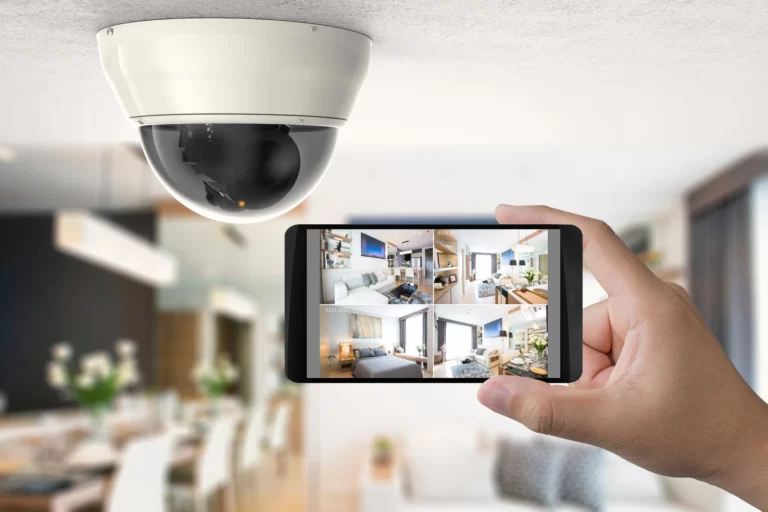
Yes. Modern NVR systems support remote viewing through manufacturer apps. You can view live feeds, review recorded footage, and receive motion alerts from anywhere with mobile data. We configure remote access and the phone app as part of every installation. Your footage stays on your local NVR — it is not uploaded to a third-party cloud unless you choose to enable that.
Do security lights increase my electricity bill significantly?
No. Modern LED security floodlights draw 20-50W each and only operate when triggered (motion sensors) or during darkness (dusk-to-dawn). A typical 4-zone security lighting setup costs approximately $2-$5 per month in electricity. If you have solar panels, the cost is effectively zero as the lights run primarily at night from stored battery energy or low off-peak rates.
How long does CCTV footage stay stored on the NVR?
This depends on the NVR's hard drive capacity, the number of cameras, and recording quality. A standard 2TB NVR with four 4K cameras recording on motion detection typically stores 14-30 days of footage. Continuous recording uses more storage but is rarely necessary for residential systems. We recommend motion-triggered recording with 24/7 coverage on the most important camera (usually the front door).
Will security cameras work during a power outage?
Standard hardwired cameras will lose power during a grid outage. However, if your system is connected to a home battery or a dedicated UPS (uninterruptible power supply), the cameras and NVR will continue operating. A small UPS ($200-$400) can keep a 4-camera system running for 4-8 hours. A home battery provides even longer backup — often 12-24 hours depending on other loads.